
Standing in the garage door remote aisle at a hardware store can feel overwhelming. There are dozens of options, different brands, and confusing specs on the packaging. For homeowners in Cypress, TX, this is a common situation, especially when an old remote breaks down or stops responding without warning.
The truth is, not every remote works with every garage door opener. Buying the wrong one means wasted money and a frustrating experience. This guide walks you through exactly what to check before you buy, what features matter, and how to make a smart choice the first time.
Start With Your Garage Door Opener Brand and Model
Before you buy anything, check your existing garage door opener. The brand and model number determine which remotes will actually work with your system.
Here is what to look for:
- Brand name: Check the motor unit mounted on the ceiling. Common brands include LiftMaster, Chamberlain, Genie, Craftsman, and Linear.
- Model number: This is usually on a sticker on the side or back of the motor unit.
- Frequency: Older openers use fixed frequencies like 300 MHz or 390 MHz. Newer ones use rolling code technology at 315 MHz or 390 MHz.
Once you have that information, you can match a compatible remote with confidence. Skipping this step is one of the most common reasons homeowners end up with a remote that does not work.
If you ever wonder why an old remote stopped responding altogether, it helps to first understand the root causes behind the issue. Check out our guide on Why Your Garage Door Remote Stopped Working for a closer look at the most common reasons.
Understand the Difference Between Brand-Specific and Universal Remotes
There are two main categories of garage door remotes. Knowing which one suits your setup will save you time and frustration.
Brand-Specific Remotes
These remotes are designed to work only with a specific brand or product line. They offer the most reliable connection because they are built to match the exact frequency and programming protocol of that opener.
- Best for newer openers still under warranty
- Easier to program with fewer steps
- Often available directly from the manufacturer or authorized dealers
Universal Remotes
Universal remotes are designed to work across multiple brands and models. They are a practical option when your opener is older or when the original remote is discontinued.
- Works with most major brands
- Useful when the original remote is no longer available
- May require additional programming steps
Keep in mind that universal remotes do not work with every opener. Always verify compatibility with your specific model before purchasing.
Check the Frequency Your Opener Uses
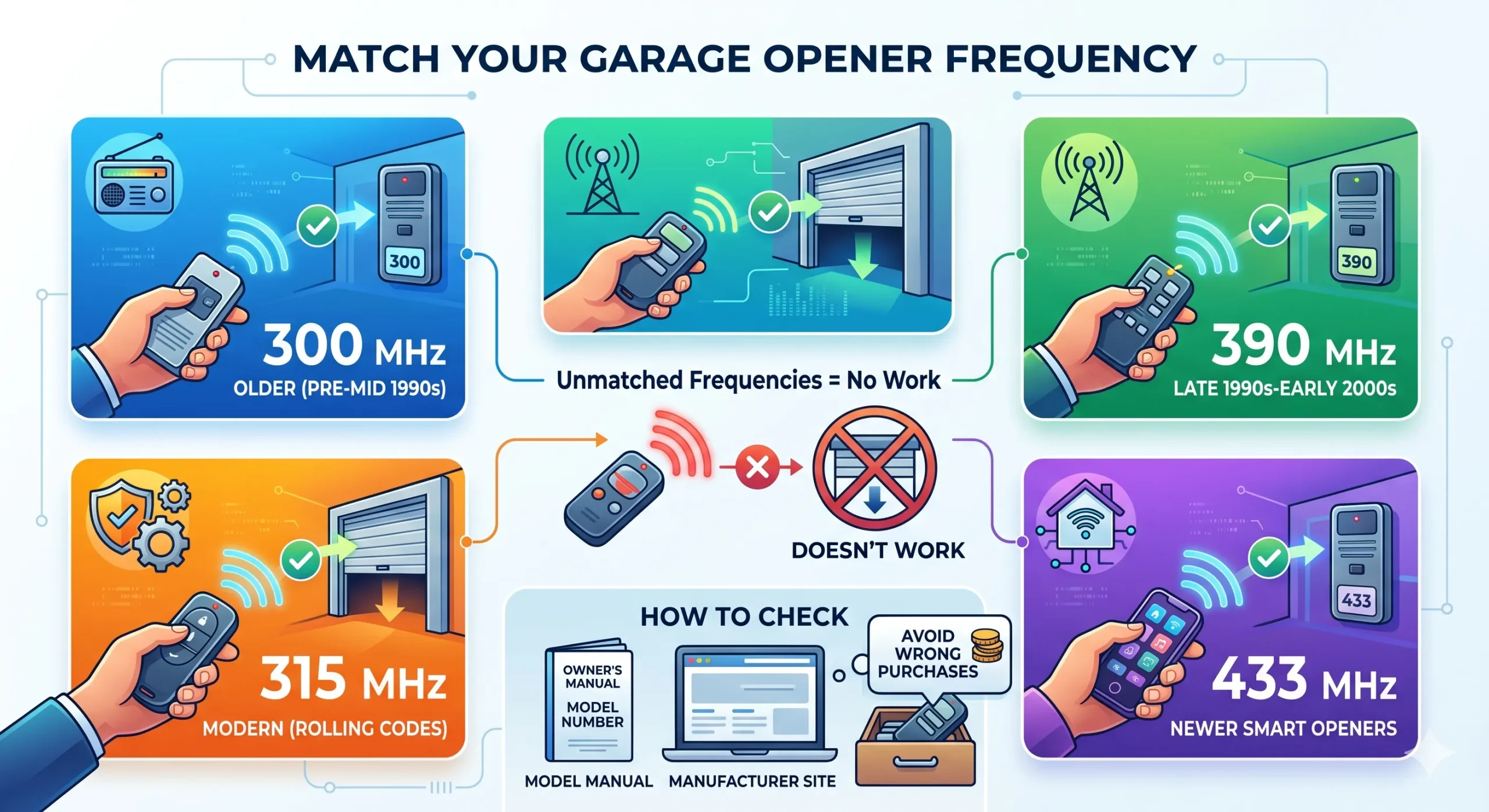
Garage door openers and remotes communicate through radio frequencies. If the frequency does not match, the remote will not work, no matter how many times you try to program it.
Here is a quick breakdown of common frequencies:
- 300 MHz: Found in older openers manufactured before the mid-1990s.
- 390 MHz: Common in openers from the late 1990s to early 2000s.
- 315 MHz: Used in many modern openers, especially those with rolling code security.
- 433 MHz: Gaining popularity in newer smart home compatible openers.
If you are not sure which frequency your opener uses, check the owner’s manual or look up the model number on the manufacturer’s website. This is a step worth taking before you spend money on a remote that ends up sitting in a drawer.
Know What Rolling Code Technology Means for Your Purchase
If your opener was manufactured after 1993, it likely uses rolling code technology, also called Security+ or Intellicode depending on the brand. This feature changes the access code every time the remote is used, making it much harder for someone to intercept and copy your signal.
When buying a remote for a rolling code opener, make sure the remote you choose also supports rolling code. Pairing a fixed-code remote with a rolling code opener will not work and can cause confusion during programming.
To understand more about what happens when the wrong remote is used with your system, read What Happens If You Use the Wrong Garage Door Remote.
Decide How Many Buttons You Actually Need
Garage door remotes come in one-button, two-button, and three-button options. Choosing the right number of buttons depends on how many openers or entry points you are controlling.
- One-button remote: Controls a single garage door. Great if you only have one bay.
- Two-button remote: Ideal for two-car garages or when you want to control a second door or gate.
- Three-button remote: Adds control for a third door, gate, or even interior lighting in some systems.
Proper selection and maintenance of garage door systems, including control devices, helps ensure safe and reliable daily operation according to professional door industry guidance.
Consider Smart and Wi-Fi Enabled Remotes
If you want more control over your garage access, smart remotes and Wi-Fi enabled systems are worth considering. These allow you to operate your garage door from a smartphone app, receive open or close alerts, and even grant access to guests remotely.
Here is what to keep in mind before going the smart route:
- Your current opener must be compatible with the smart accessory or hub
- Some smart systems require purchasing a separate Wi-Fi bridge or hub
- Smartphone-based control does not replace a physical remote, but it does add a useful backup
- Systems like myQ by Chamberlain and Genie Aladdin Connect are among the most widely used
Smart systems work best in newer openers. If your opener is more than 15 years old, upgrading to a smart remote may also require replacing the opener itself. It is worth checking compatibility first before investing in the technology.
Do Not Overlook the Keypad and Interior Wall Button Options
Beyond handheld remotes, there are two other entry options that homeowners often overlook when updating their system.
Exterior Keypads
A wireless keypad mounted outside your garage lets you enter a PIN to open the door. This is useful when you do not have your remote on hand or if you want to give access to a family member or trusted service professional without sharing a remote.
- Easy to install on most garage door opener systems
- PIN can be changed regularly for added security
- Weatherproof models are designed for outdoor conditions in climates like Cypress, TX
Interior Wall Buttons
The wall button inside your garage can also be upgraded to a smart panel that shows door status, controls lights, and includes a timer function. These are brand-specific and must match your opener’s system.
Access control systems for automatic doors are designed to improve safety by providing alternative entry methods beyond handheld transmitters.
Tips to Avoid Common Remote Buying Mistakes
Many homeowners in Cypress, TX end up returning a remote or purchasing a second one simply because an important step was overlooked. Whether dealing with a minor issue or a larger garage door repair concern, selecting the correct remote from the beginning helps avoid unnecessary setbacks and compatibility problems.
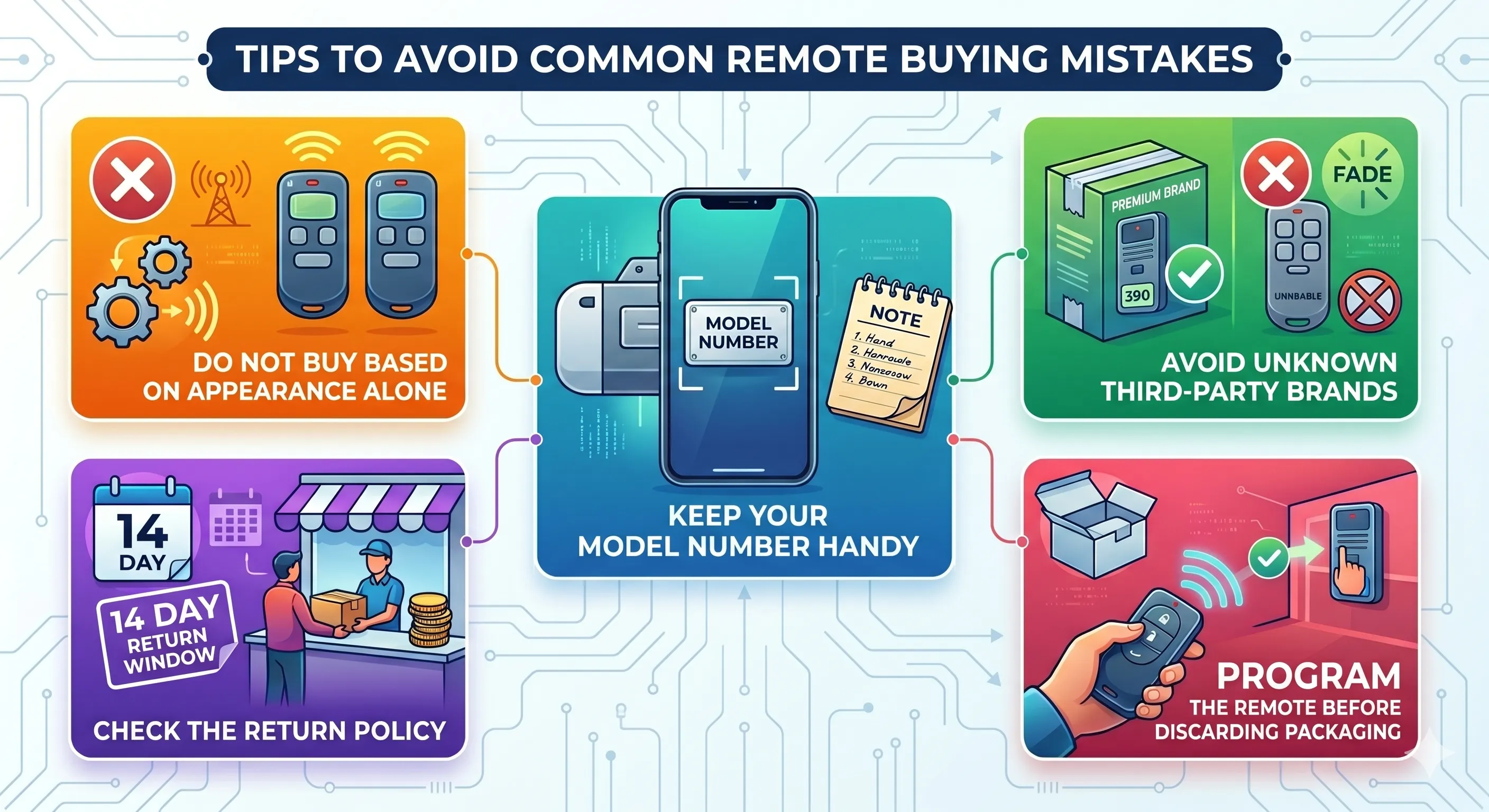
- Do not buy based on appearance alone: Two remotes can look identical but have completely different frequencies and protocols.
- Avoid third-party remotes from unknown brands: They may work initially but tend to have reliability issues over time.
- Check the return policy: If you are unsure about compatibility, buy from a retailer with a clear return window.
- Keep your model number handy: Write it down or take a photo before heading to the store or shopping online.
- Program the remote before discarding the packaging: If it does not work, you will need the original box for a return.
When It Makes More Sense to Replace the Opener Instead of the Remote
Sometimes buying a new remote is not the best solution. If your opener is more than 15 to 20 years old, has recurring issues, or uses an outdated frequency that limits remote options, replacing the entire opener may be the more practical and cost-effective move.
Signs that a full replacement might be the better call include: the opener struggles to lift the door, it makes grinding or straining noises, or you have already repaired it multiple times. To walk through the full process step by step, see our guide on When and How to Replace Your Garage Door Remote.
Consulting with a qualified garage door technician before making that decision is always a wise move, especially when you want to avoid overspending on a short-term repair.
The Smart Move Starts With the Right Remote
Choosing the right garage door remote doesn’t have to feel like guesswork. Once you identify your opener’s brand, frequency, and the features that best suit your household, the process becomes simple and stress-free. Taking a few extra minutes to gather the right details before making a purchase can save you time, money, and unnecessary hassle down the line.
Garage Door Wizard is your trusted partner in Cypress, TX, for everything related to garage door remotes and system performance. Whether you need help selecting the perfect remote or want a full inspection of your opener, our experienced technicians are ready to assist. We take the time to evaluate your setup and ensure everything is operating smoothly and reliably. Contact us or give us a call to schedule your service visit and experience the difference in expert care.